Built for facilities, field, and multi-site operations teams who cannot afford lost tools, missed inspections, or a spreadsheet that is three weeks behind the shop floor.
Every asset in one dashboard — not a spreadsheet per site.
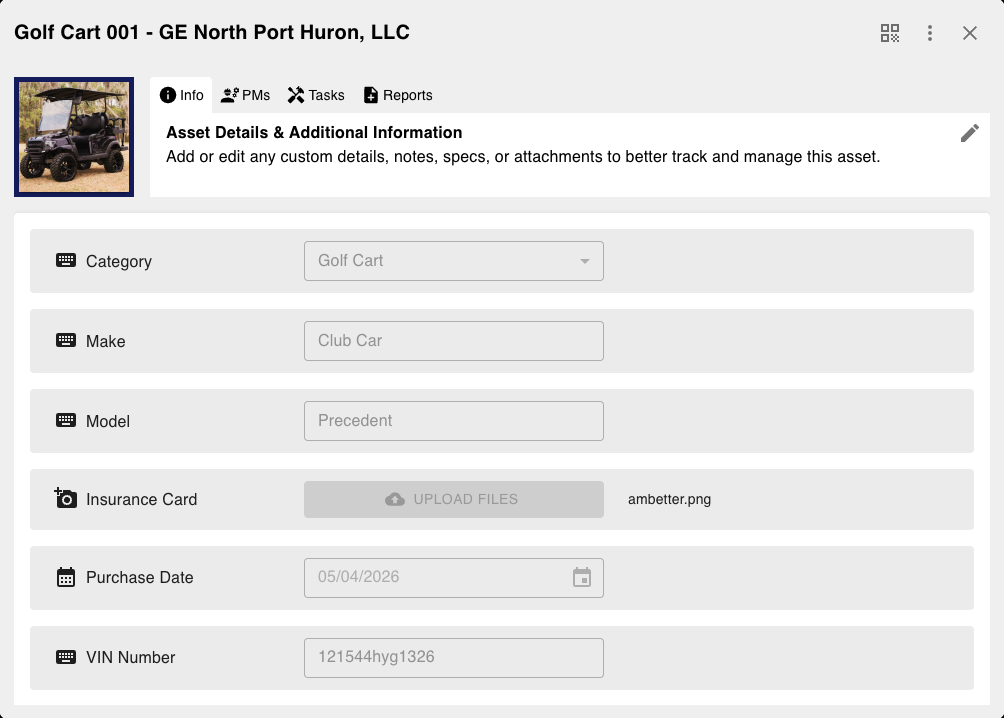
Scan to open the record, files, forms, and service schedule.
Service and inspections fire from the asset, not a side calendar.
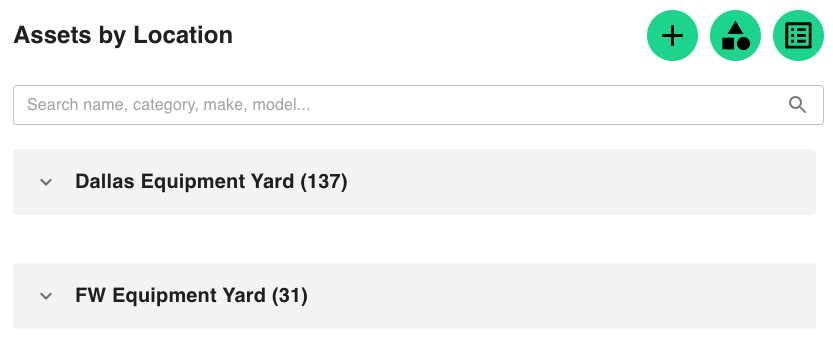
Site, building, room — or nested inside another asset.
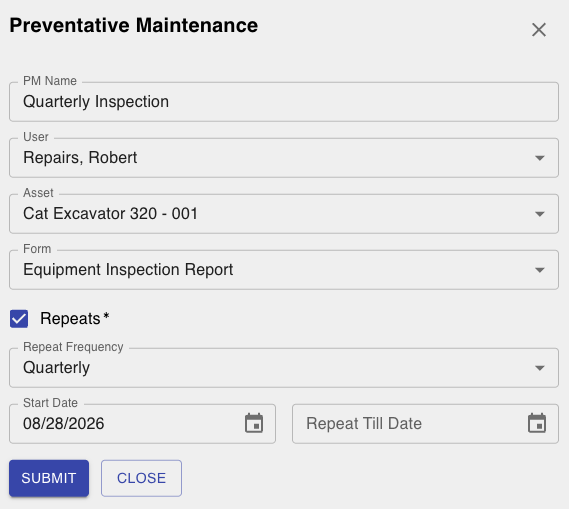
Find out when something needs attention — not after it fails.

Turn asset data into cost, utilization, and compliance views.
Inventory (coming soon) will let a maintenance job consume parts from stock. See the plan.
An asset is not finished when you know its location. LinkStep keeps the service provider, the last inspection, and the open maintenance request on the same record.
LinkStep asset tracking is a record for each piece of equipment or property you need to find, service, and account for. Each record can hold location, QR identity, maintenance history, files, custom fields, and links to vendors and work orders.
Assets are typically serialized items you track over years — vehicles, tools, machines, medical devices. Inventory is countable stock that is received, stored, and consumed. LinkStep supports both; they should not be treated as the same list.
Yes. Scan the asset or open the record and start a form. The submission, tasks, and notifications stay on that asset so the next technician sees the history.
No. Phones and common QR/barcode scanners work. Bulk scan when you need to update many locations at once.
Operations teams that lose time hunting equipment, miss service dates, or cannot answer what an asset cost. That includes construction, healthcare, hospitality, facilities, and multi-site operators.